User Guide
Everything you need to get the most out of SubPolice. From first setup to advanced features, this guide covers it all.
1. Getting Started
Download & Install
Download SubPolice for free from the Google Play Store. No account creation is required — just install and open.
Grant Notification Access
On first launch, SubPolice will show an in-app setup guide that walks you through enabling Notification Access step by step. Tap Enable Smart Detection on the banner to open it.
You can also grant access manually: Android Settings > Apps > Special access > Notification access > enable SubPolice.
This is optional.SubPolice works fully without it — you can manage all subscriptions through manual entry.
Battery Optimization (Important for some devices)
On Xiaomi, Oppo, Vivo, and other Chinese OEM devices, aggressive battery optimization can prevent SubPolice from detecting notifications in the background. We recommend:
- Disable battery optimization for SubPolice in your device settings
- Enable "Auto-start" for SubPolice (on Xiaomi/MIUI)
- Lock SubPolice in the recent apps tray to prevent it from being killed
2. Your Dashboard
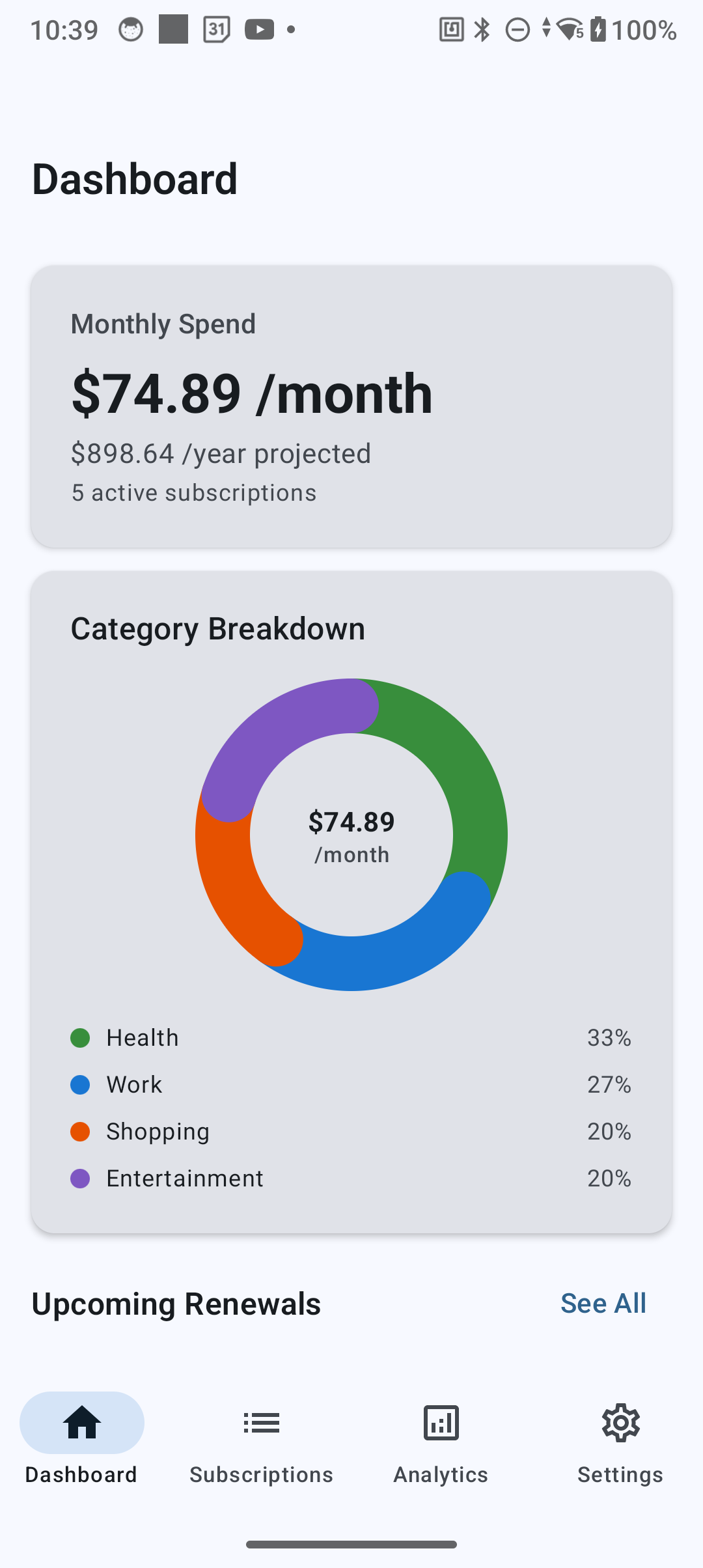
The dashboard is your home base. At a glance, you can see:
- Monthly total spend — how much you're paying this month
- Upcoming renewals — your next 3 renewals with countdown timers
- Category breakdown — spending by category (Entertainment, Work, Health, Shopping)
- Annual projection — estimated yearly subscription cost
3. AI-Powered Auto-Detection
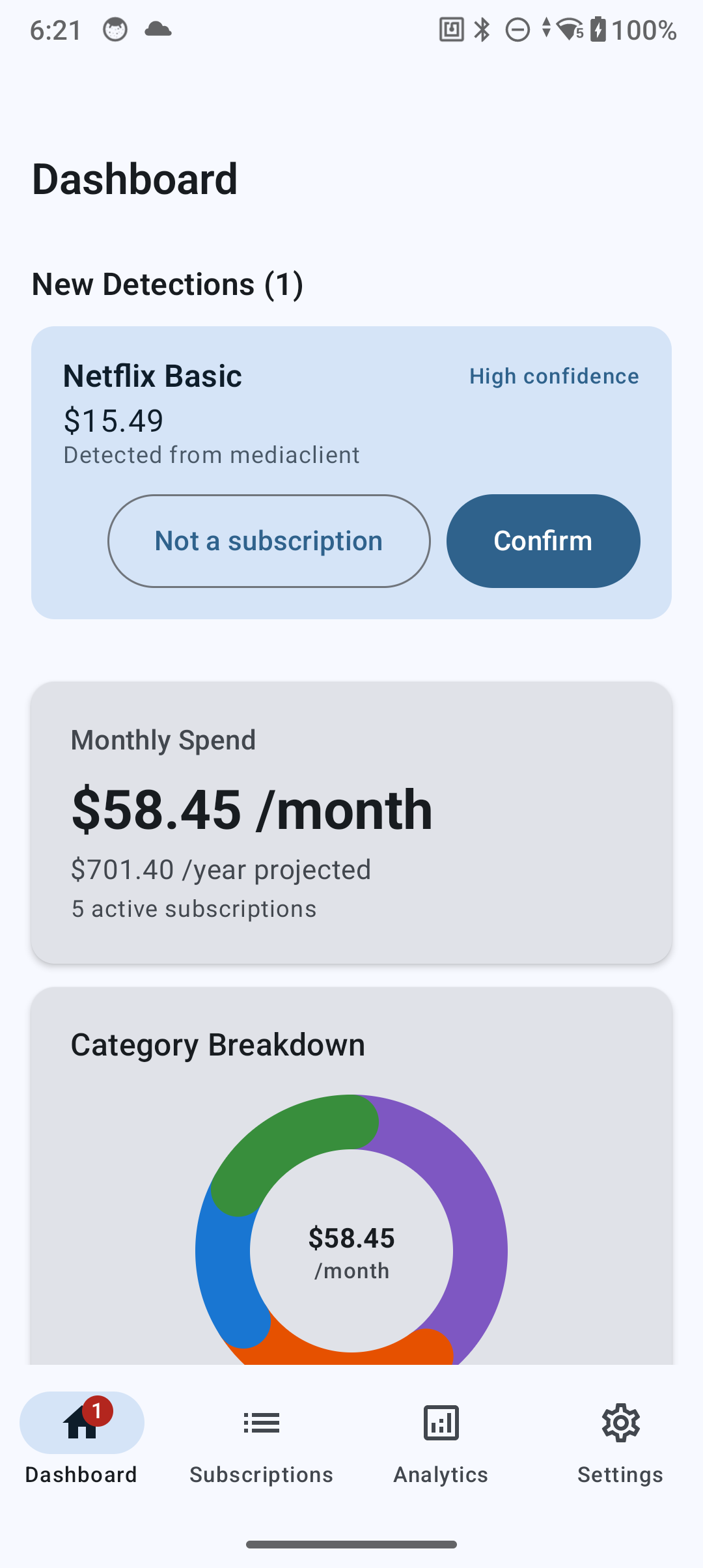
SubPolice uses AI-powered pattern matching combined with Android's NotificationListenerService to automatically detect subscription renewals from your push notifications — all processed on-device.
How the AI detection works
- When you receive a renewal notification (e.g., "Your Netflix subscription has been renewed"), SubPolice's AI engine reads the notification title
- It runs pattern matching against 550+ known service patterns with confidence scoring (High / Medium / Low)
- If a match is found, SubPolice creates a suggestion for you to review
- You confirm or reject the suggestion — nothing is added without your approval
- The AI learns from rejected false positives to improve future detection
Detection coverage
SubPolice achieves approximately 65% automated detection coverage. Many services send billing confirmations via email rather than push notifications, so some subscriptions will need to be added manually. The app is honest about this during onboarding.
4. Adding Subscriptions Manually
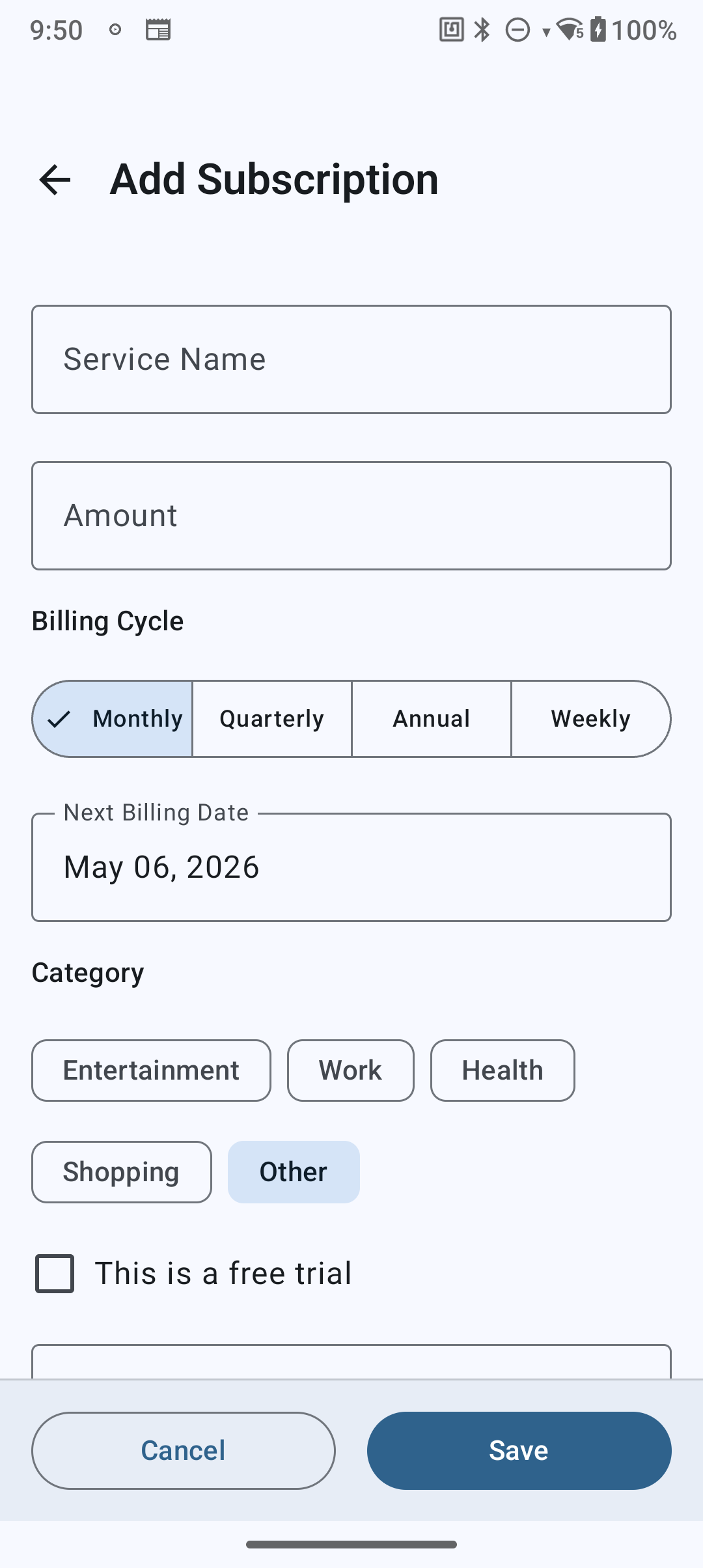
Tap the + button on the dashboard or subscription list to add a subscription manually:
- Search or type — autocomplete suggests from 550+ known services
- Set the amount — in any of 22 supported currencies
- Choose billing cycle — monthly, quarterly, semi-annual, or annual
- Pick a category — Entertainment, Work, Health, Shopping, or Other
- Set next renewal date
- Mark as free trial (optional) — with trial end date
- Tap Save — done in under 30 seconds
5. Renewal Alerts
Never pay for something you forgot to cancel. SubPolice sends push notifications before your subscriptions renew.
Setting up alerts
Go to Settings > Default Alert Timing and choose when you want to be notified:
- 7 days before — plenty of time to decide
- 3 days before — a timely reminder
- 1 day before — last-chance alert
You can also customize alert timing per subscription from the subscription detail screen.
6. Quick Actions from Notifications
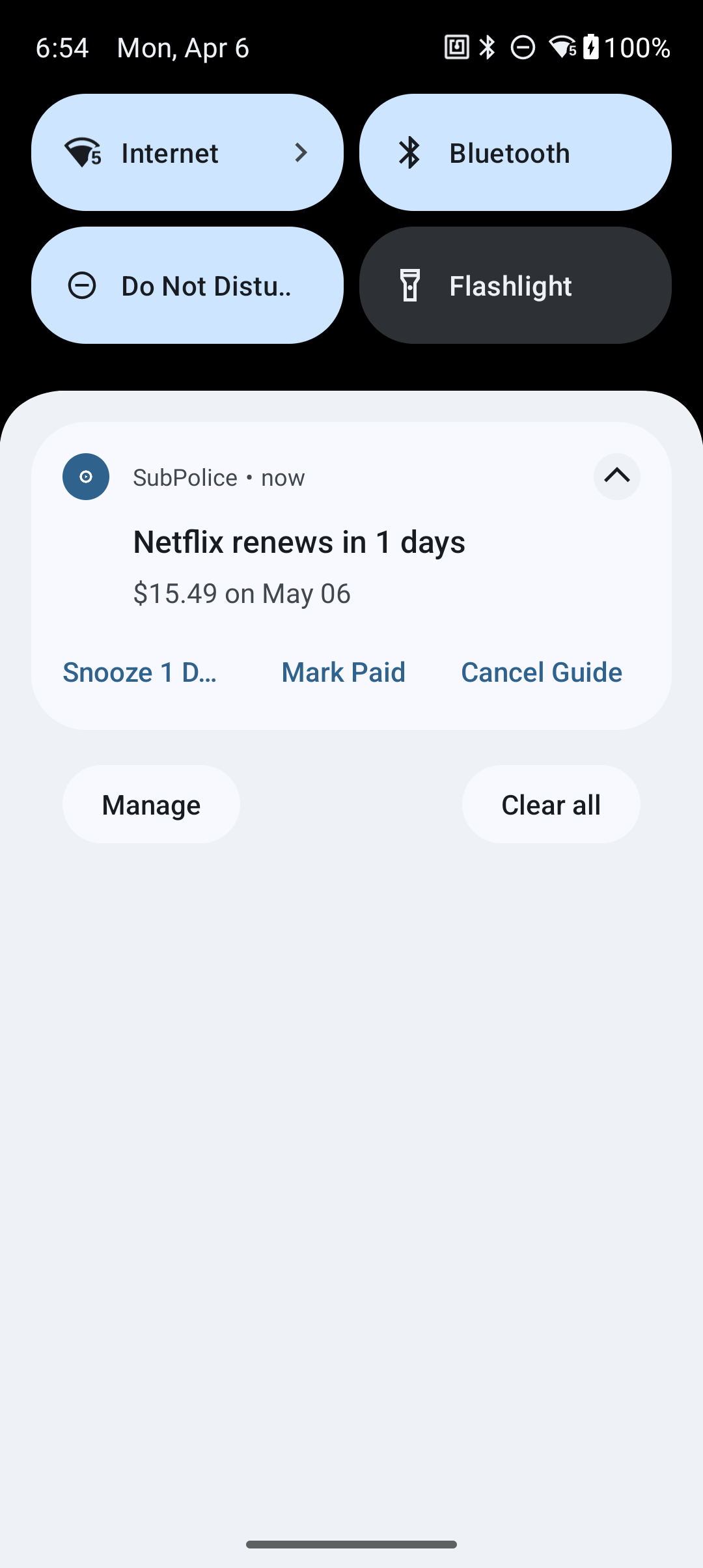
When SubPolice sends a renewal or trial alert, the notification includes quick action buttons so you can act without opening the app:
- Snooze 1 Day — delay the alert by one day if you need more time
- Mark Paid — confirm the renewal has been paid and dismiss the alert
- Cancel Guide (Premium) — opens a step-by-step guide to cancel the subscription directly
Tap the notification itself to open the subscription detail screen directly.
7. Free Trial Tracking
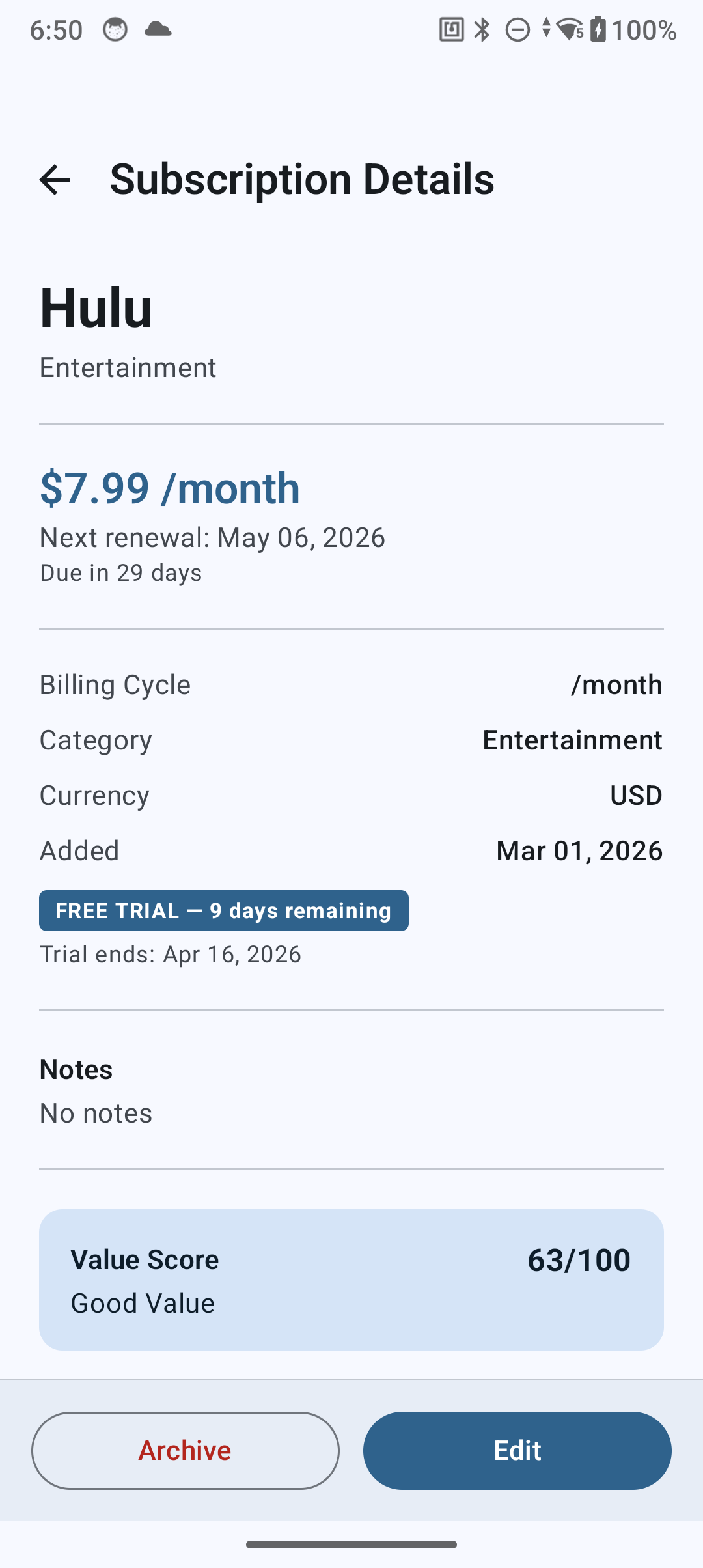
When adding a subscription, toggle "Free Trial" and set the trial end date. SubPolice will:
- Show a countdown timer on the subscription card
- Send alerts at 3 days and 1 day before the trial expires
- Help you cancel before you're charged
8. Spending Analytics
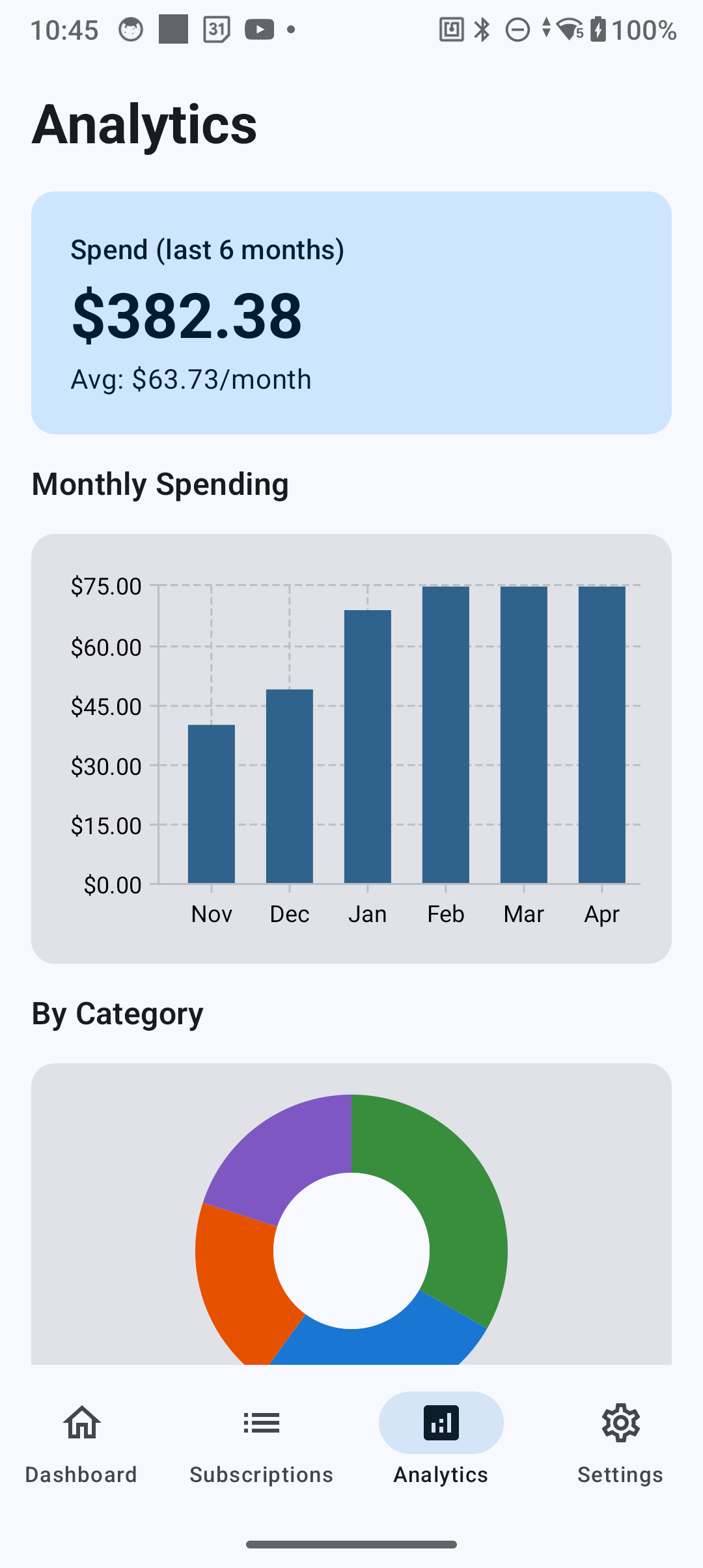
The Analytics tab gives you a clear picture of your subscription spending:
- Monthly bar chart — spending trends over the last 6 months
- Category donut chart — where your money goes by category
- Total and average cards — monthly average and total active subscriptions
Premium users get advanced analytics including year-over-year comparisons and category trends.
10. Data & Privacy
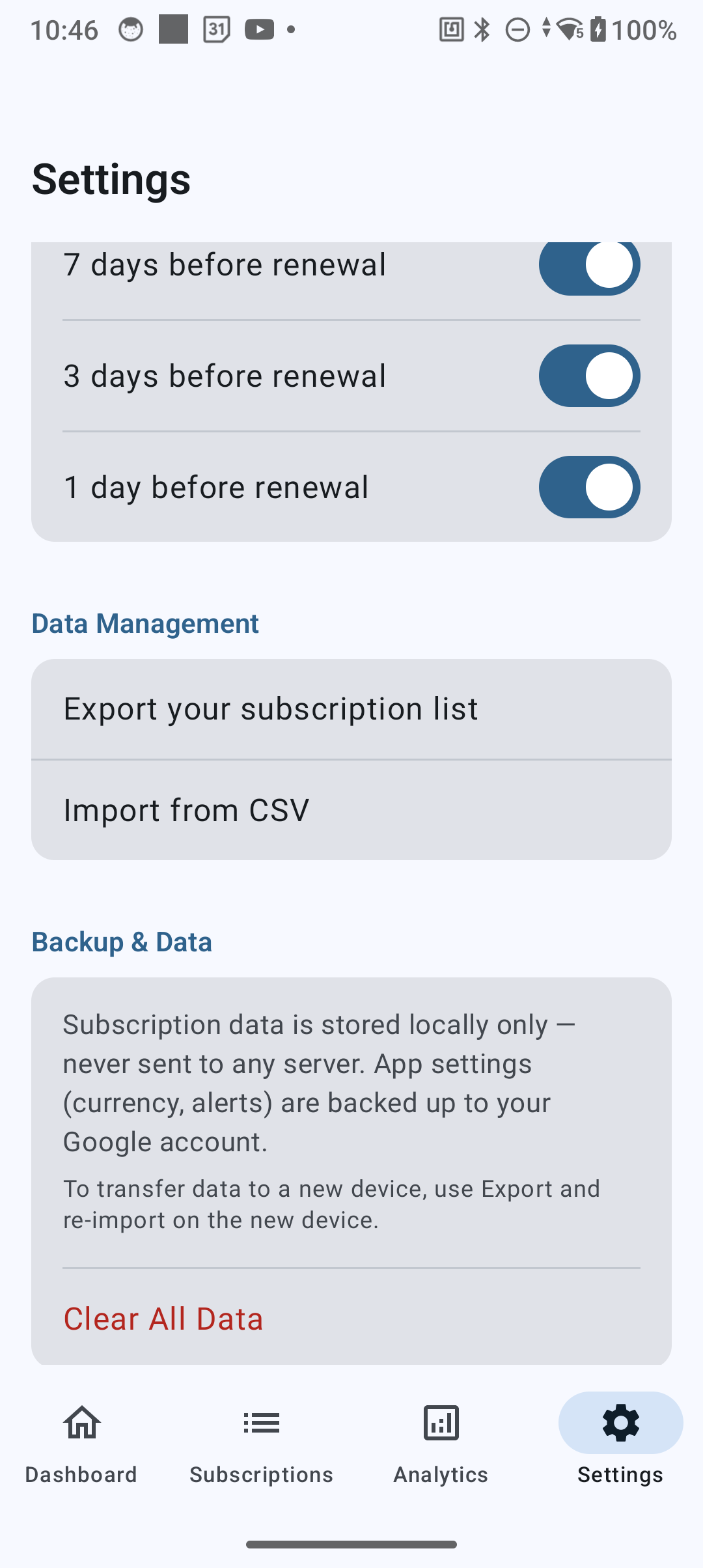
SubPolice stores all your data locally on your device using Android's Room database. No subscription data is ever sent to any server.
Importing your data
Go to Settings > Import from CSV to import subscriptions from a CSV file. This is useful for migrating from another app or restoring from a previous export.
Exporting your data
Go to Settings > Export Datato export your subscriptions as CSV or JSON files. You can share these via Android's share sheet.
Deleting your data
Go to Settings > Clear All Data to permanently erase all locally stored data. Uninstalling the app also removes all data from your device.
For full details, read our Privacy Policy.
11. Troubleshooting
Subscriptions not being detected?
- Verify Notification Access is enabled: Settings > Apps > Special access > Notification access
- Check battery optimization is disabled for SubPolice
- On Xiaomi/MIUI: enable Auto-start and lock the app in recent apps
- Note: services that only send email billing (not push notifications) cannot be auto-detected
Widget not updating?
- The widget updates every 6 hours automatically
- Ensure SubPolice is not being killed by your device's battery manager
- Try removing and re-adding the widget
App seems slow or unresponsive?
- Try clearing the app cache: Settings > Apps > SubPolice > Storage > Clear Cache
- Ensure you're running the latest version from Google Play
12. Contact Support
Need help? We're here for you.
- Email: support@akshantech.com
- Google Play: SubPolice on Google Play
We typically respond within 24 hours.